
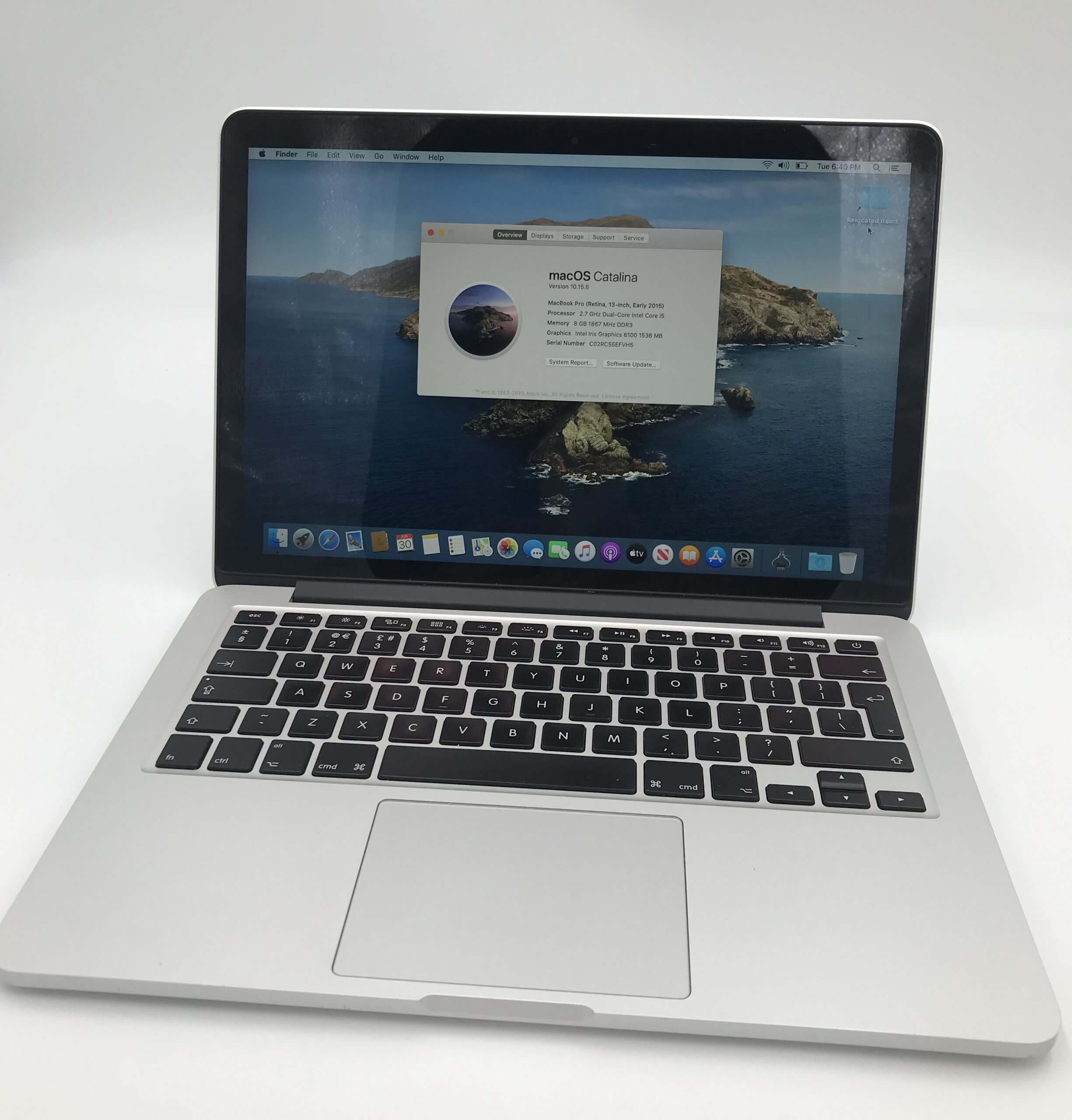
The MacBook Pro 2015 is one of the most loved laptops Apple ever made — and even a decade on, plenty are still going strong. It was the last MacBook Pro to keep MagSafe charging, a full set of ports (USB-A, HDMI and an SD card slot), and the reliable scissor-switch keyboard that came before Apple’s troublesome “butterfly” design. If you own one, it’s often well worth repairing or upgrading rather than replacing.
At Computer Gurus in Tunbridge Wells, we’ve been repairing Apple laptops since 2004. This guide covers the common problems with the 2015 MacBook Pro, the upgrades that genuinely make a difference, how far you can push macOS, and roughly what repairs cost — so you can decide whether to fix it, upgrade it, or move on.
Is a 2015 MacBook Pro still worth using?
For everyday tasks — web browsing, email, documents, video calls, streaming and light photo editing — a 2015 MacBook Pro is still very capable, especially once it has a healthy battery and an SSD upgrade. The build quality is excellent, the Retina display still looks superb, and the keyboard and trackpad are among the best Apple has made.
The main thing to weigh up is software support: the 2015 models officially run up to macOS Monterey (more on that below). For most people that’s fine for a good while yet, and if your machine is slowing down or the battery is fading, a repair or upgrade is usually far cheaper than a new MacBook. Bring it in and we’ll tell you honestly whether yours is worth keeping.
Which MacBook Pro 2015 do you have?
Two models were released in 2015, and knowing which you own helps us fit the right parts first time:
- 13-inch MacBook Pro (Retina, Early 2015) — Intel Core i5/i7 with Intel Iris graphics and excellent battery life.
- 15-inch MacBook Pro (Retina, Mid 2015) — a quad-core Core i7, with some versions adding a dedicated AMD Radeon R9 M370X graphics chip.
To check exactly which one you have, click the Apple menu → About This Mac. Both share the same ports, MagSafe 2 charging and Force Touch trackpad.
Common MacBook Pro 2015 problems (and how we fix them)
Battery swelling and short battery life. This is the most common issue on 10-year-old machines. As the battery ages it can swell, pushing up the trackpad or casing so the click feels odd or the laptop won’t sit flat. A swollen battery is a safety risk — stop using it and let us replace it. A fresh battery also restores hours of runtime.
Faded or “stained” screen coating (staingate). The anti-reflective coating on some 2015 screens wears away, leaving cloudy patches. Apple’s old repair programme has ended, but a screen replacement puts it right.
Overheating and loud fans. Years of dust and dried-out thermal paste make the fans race and the machine throttle. A professional clean and thermal re-paste brings temperatures — and noise — back down.
Slow performance. Usually a mix of the original SSD and years of macOS updates. An SSD upgrade combined with a clean install transforms how the machine feels.
Graphics glitches (15-inch models). The dedicated-GPU 15-inch models can develop display artefacts over time. We diagnose whether it’s the graphics chip or something simpler before recommending a fix.
Charging problems. Often a worn MagSafe cable or charging board, or a failing battery — we test the whole charging path, not just the obvious part.
Good news on the keyboard. The 2015 uses the dependable scissor-switch keyboard, so it avoids the sticky-key problems of the 2016–2019 butterfly models. That’s a real plus if you’re deciding whether to keep it.
Need any of these sorted? See our MacBook repair service in Tunbridge Wells or get in touch for a free diagnosis.
Upgrades that make it feel new again
- SSD upgrade — yes. The 2015 uses a removable flash “blade”, so we can fit a larger, faster SSD (using a compatible NVMe drive and adapter) for more storage and a big speed boost. This is the single best upgrade for a 2015 MacBook Pro.
- RAM — no. On the 2015 Retina models the memory is soldered to the logic board, so it can’t be upgraded. It’s worth knowing this before you buy or plan heavy workloads.
- New battery. Restores runtime and removes the safety risk of a swollen cell.
- Clean macOS install. Clearing years of clutter often gives the biggest everyday speed-up — especially paired with an SSD.
Not sure which upgrade is worth it? Our computer help team will talk it through in plain English.
What macOS can a 2015 MacBook Pro run?
Officially, the 2015 MacBook Pro is supported up to macOS Monterey (macOS 12). Later versions — Ventura and newer — dropped support for 2015 models, and Apple’s security updates for Monterey have now ended. That matters if you want to keep browsing and banking safely, so it’s worth planning around.
More advanced users can install newer macOS unofficially using tools like OpenCore Legacy Patcher, but it isn’t for everyone. We’re happy to advise, set this up for you, or help you stay on a safe, supported configuration — including our remote support service if you’d rather not bring the machine in.
MacBook Pro 2015 repair costs
Every job starts with a free, no-obligation diagnosis, and we always confirm the price before doing any work. As a rough guide:
- Battery replacement: typically £90–£140
- SSD upgrade / replacement: typically £49–£79 fitting, plus the drive
- Screen replacement: typically £200–£350 depending on parts
- Fan clean & thermal re-paste: typically £60–£90
Because we use quality parts and give a clear quote up front, there are no surprises — and if a repair genuinely isn’t worth it, we’ll tell you straight.
Should you repair or replace?
Repairing or upgrading usually makes sense if the screen and chassis are in good shape, you mainly do everyday tasks, and the cost is well below that of a replacement laptop. It’s often worth considering a newer machine if you need the latest macOS, do heavy creative or professional work, or a 15-inch model has a failed graphics chip.
We’ve been giving honest advice since 2004 — we’d far rather keep a good machine running than sell you a repair you don’t need. Bring it in and we’ll give you a straight answer.
Why choose Computer Gurus for your MacBook Pro 2015
- Apple laptop specialists — established since 2004
- Free, no-obligation diagnosis and a clear quote before any work
- Quality parts, backed by our 6-month warranty
- Experienced, friendly technicians — plain English, no jargon
- Local to Tunbridge Wells with free customer parking, plus collection across the area
- Trusted by hundreds of local customers with 600+ Google reviews
- Open 7 days a week, 8am–8pm
We also help with general computer repairs and business IT support across Tunbridge Wells and Kent.
Frequently asked questions
Is the MacBook Pro 2015 still worth using?
Yes — for everyday tasks it’s still very capable, especially with a new battery and an SSD upgrade. The main limitation is software support, as the 2015 models officially run up to macOS Monterey.
What is the newest macOS a 2015 MacBook Pro can run?
Officially, macOS Monterey (macOS 12). Newer versions dropped support for 2015 models. Advanced users can run later macOS unofficially using tools like OpenCore Legacy Patcher, and we’re happy to advise.
Can you upgrade the RAM in a 2015 MacBook Pro?
No — the RAM is soldered to the logic board on the 2015 Retina models and can’t be changed. The SSD, however, can be upgraded, which is the best way to speed the machine up.
Can the SSD be replaced or upgraded?
Yes. We can fit a larger, faster SSD, which gives more storage and a big speed boost — the single best upgrade for a 2015 MacBook Pro.
My trackpad is hard to click and the case is bulging — what’s wrong?
That’s almost always a swollen battery. Stop using the laptop and bring it in — a swollen battery is a safety risk and should be replaced promptly.
How much does a 2015 MacBook Pro repair cost?
It depends on the fault. We offer a free diagnosis and always confirm the exact price before any work begins.
Is it better to repair my 2015 MacBook Pro or buy a new one?
For everyday use, repairing or upgrading is often far cheaper and works really well. We’ll give you honest advice based on your machine’s condition and how you use it.
Do you repair MacBooks near me?
We’re based in Tunbridge Wells with free parking and cover the surrounding areas — including Southborough, Tonbridge, Pembury, Rusthall, Sevenoaks and Paddock Wood — with collection available.
Book your MacBook Pro 2015 repair
Call us on 01892 529999, email help@computergurus.co.uk, or Book a Repair online. Visit us at 7 Yew Tree Road, Tunbridge Wells, Kent TN4 0BD — free customer parking, open every day 8am–8pm.
